|
Getting your Trinity Audio player ready...
|
In the digital agency world, there is a constant tug-of-war. On one side, you have WordPress evangelists who believe the CMS can do anything. On the other, you have purist developers who insist that anything pre-built is “bloated” and that custom code is the only path to performance.
The truth, as usual, lies in the middle.
For 90% of small-to-medium businesses (SMBs), a CMS is the logical choice. However, for that remaining 10%—businesses with unique data structures, high-security requirements, or SaaS aspirations—custom development is not a luxury; it is a necessity.
This article breaks down the technical and financial realities of custom web development vs WordPress to help you invest wisely.
The Four Tiers of Web Development
Before comparing them, we must define what we are actually talking about. The term “WordPress” is often misused. It is not a binary choice between a $50 template and a $50,000 custom app. There is a spectrum.
1. Off-the-Shelf WordPress (The “DIY” Level)
This is what most people imagine when they hear “WordPress.” You buy a pre-made theme (like Avada or Divi), install a dozen plugins to get the features you need, and drag-and-drop your content.
- Pros: Extremely cheap, fast launch.
- Cons: Bloated code, slow load times, “plugin conflict” nightmares, looks generic.
2. Custom WordPress Development
This is the professional standard for marketing sites. A developer uses the WordPress core for content management (the backend) but writes custom HTML, CSS, and PHP for the frontend.
- Pros: High performance, exact design match, easy for marketing teams to edit.
- Cons: Higher upfront cost than themes, requires a skilled developer to maintain.
3. Headless WordPress
A hybrid approach. You use WordPress strictly to enter data, but the website visitors see is built with modern JavaScript frameworks (like React or Vue).
- Pros: Blazing fast speed, bank-level security (the CMS is decoupled from the frontend).
- Cons: Expensive to build, complex to host, overkill for simple brochures.
4. Fully Custom Web Development
No WordPress. No pre-built CMS. This is software engineering using frameworks like Laravel, Django, Ruby on Rails, or Node.js.
- Pros: Total control. You are building an application, not just a website. No bloat.
- Cons: Most expensive. Marketing teams cannot edit content without a custom-built admin panel. You are married to your developer.
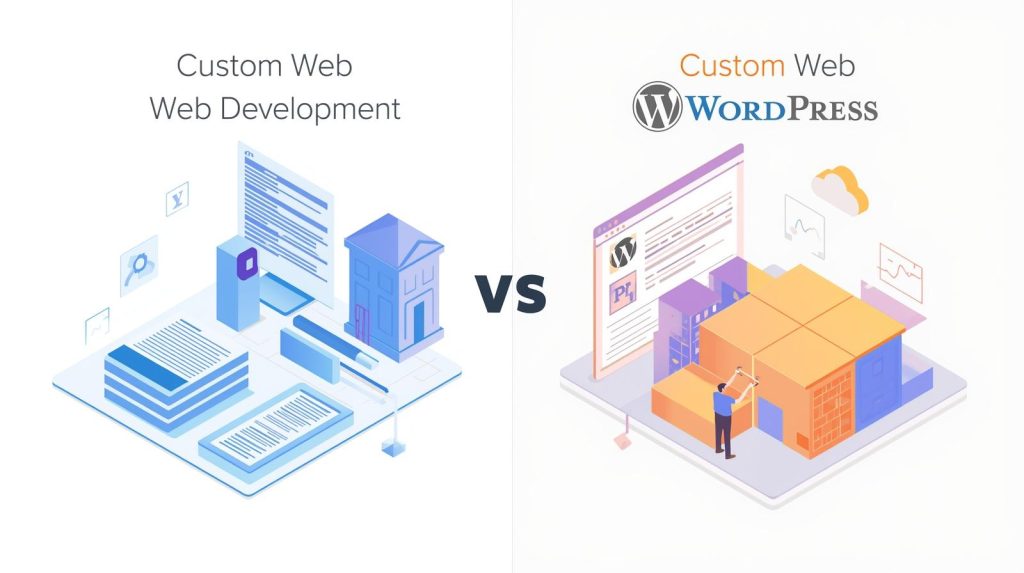
The Core Differences: Custom Web Development vs WordPress
To make the right decision, you must compare these approaches across business-critical metrics. It is rarely a question of “which is better,” but rather “which is better for this specific project.”
Here is how the landscape shifts when you move from a CMS to a custom build.
Comparison Matrix
| Feature | WordPress (Custom Theme) | Fully Custom Development |
| Best For | Marketing sites, blogs, standard corporate presence, news outlets. | Web apps, complex SaaS, unique workflows, enterprise portals. |
| Speed to Launch | Fast (4–8 weeks). | Slow (3–6 months+). |
| Flexibility | High for design; Moderate for logic. Restricted by WP architecture. | Infinite. If you can imagine logic, you can build it. |
| Content Editing | Excellent. Intuitive UI for non-technical staff (Gutenberg/ACF). | Poor/Expensive. Requires building a custom admin interface. |
| Security | Moderate risk. A popular target for bots; requires maintenance. | High. “Security through obscurity” + smaller attack surface. |
| Performance | Good to Great (if optimized correctly). | Best in Class (no unused code libraries). |
| Maintenance | Routine updates (Core/Plugins). Risk of breaking changes. | Technical debt management. Updates are manual code changes. |
| Cost Tier | $$(Mid-Range). | $$$$ (Premium/Enterprise). |
| Common Pitfall | Over-reliance on plugins causing slow speeds. | Over-engineering simple features that WP does for free. |
Decision Framework: Which Path is Right for You?
Do not let an agency sell you a Ferrari when you need a delivery van, or a bicycle when you need a semi-truck. Use this checklist to validate your requirements.
Choose WordPress If:
- Content is King: Your primary goal is publishing articles, case studies, services, and landing pages.
- Marketing Autonomy: Your marketing team needs to change text, swap images, and create new landing pages without emailing a developer every time.
- Budget Constraints: You have a healthy budget ($5k–$20k) but cannot justify spending $50k+ on initial build.
- Standard Features: You need standard functionality like contact forms, basic event calendars, or standard e-commerce (WooCommerce).
- SEO Priority: You need a structure that Google understands immediately out of the box.
Choose Custom Web Development If:
- You Are Building a Product: The website is the business (e.g., a project management tool, a customer portal, a dating site).
- Complex Data Relationships: You aren’t just displaying “Posts” and “Pages.” You need to display “Patients” linked to “Appointments” linked to “Insurance Providers” with complex filtering logic.
- Performance is Life-or-Death: You expect millions of hits per day and cannot afford the millisecond overhead of a CMS database query.
- Strict Compliance: You require HIPAA, GDPR, or banking-level security compliance where you must control every line of code to pass audits.
- Legacy Integration: You need to pull data specifically from an ancient internal ERP system that has no API.
Real-World Scenarios
To put this in perspective, here are six common business scenarios and the recommended tech stack.
- The Local Law Firm: Needs to showcase attorney bios, practice areas, and a blog to rank locally.
- Verdict: Custom WordPress Theme. Custom code is overkill; a DIY theme looks cheap.
- The Tech Startup: Selling a SaaS product. Needs a marketing site to explain the product, but the product itself is a separate web app.
- Verdict: Hybrid. Use WordPress for the marketing site (marketing team controls this) and Custom Code (React/Python) for the actual application on a subdomain (https://www.google.com/search?q=app.startup.com).
- The Real Estate Aggregator: Needs to pull thousands of MLS listings, allow users to save searches, and filter by 50+ criteria.
- Verdict: Headless WordPress or Custom Code. Standard WordPress database queries will choke on this amount of complex filtering.
- The E-Learning Platform: Needs user progression tracking, quizzes, certificates, and subscription gates.
- Verdict: Custom Code (or specialized LMS). While WP has LMS plugins, they often become slow and unwieldy at scale.
- The Corporate Intranet: Used by 500 employees to book rooms, download HR PDFs, and check news.
- Verdict: WordPress. It has built-in user roles and password protection. Building this from scratch is a waste of money.
- The Subscription Box: Needs a highly specific checkout flow where users pick 5 items, customize colors, and choose delivery frequency.
- Verdict: Custom Web Development. Standard e-commerce plugins (WooCommerce/Shopify) will struggle with this specific “build-a-box” logic without massive hacking.
10 Questions to Ask Your Developer or Agency
Before signing a contract, ask these questions to determine if they are steering you toward the right solution or just the solution they know how to build.
- “If we use WordPress, will you use a pre-bought theme or build a custom theme?” (Aim for custom theme).
- “If we build custom, how will my marketing team edit content?” (If the answer is “you email me the text,” run away).
- “Who owns the code and the intellectual property after launch?”
- “How do you handle security updates for this specific stack?”
- “What happens if I want to move this site to a different hosting provider?” (Custom code can be harder to migrate).
- “Does this build rely on any proprietary frameworks that only your agency uses?” (Avoid vendor lock-in).
- “How will this stack impact our Core Web Vitals and PageSpeed scores?”
- “Can we integrate with [Your CRM/Email Tool] easily, or will that require custom API work?”
- “If we scale to 100,000 visitors a month, what breaks first?”
- “Can you show me a similar project you’ve built using this exact technology?”
Frequently Asked Questions (FAQ)
What is the main cost difference between custom web development vs WordPress?
The main cost difference lies in labor hours. WordPress provides a functioning foundation (database, admin panel, user management) instantly, meaning you only pay for design and frontend customization. Custom web development requires engineers to build those foundational elements from scratch, often tripling the initial labor cost.
Is WordPress secure enough for a business website?
Yes, provided it is managed correctly. Most WordPress hacks occur due to outdated plugins, weak passwords, or cheap hosting. A custom-coded WordPress theme with minimal plugins and managed hosting is highly secure. However, for sensitive data handling (like banking), custom code is preferred to reduce the attack surface.
Can custom websites rank better on Google than WordPress?
Not inherently. Google ranks HTML and content, regardless of the backend technology. However, custom websites can be faster and leaner, which helps Core Web Vitals. Conversely, WordPress handles technical SEO (meta tags, sitemaps, schema) much more easily via plugins like Yoast or SEOPress.
What is “Technical Debt” in custom development?
Technical debt refers to the implied cost of future reworking. When you build a fully custom site, you are responsible for every library and framework update. If the developer who built it leaves, and the code is not well-documented, you may have to rebuild the entire site to make simple changes later.
Why do developers hate WordPress themes?
Developers dislike pre-made “multipurpose” themes because they come loaded with thousands of lines of code to support features you might never use. This code bloat slows down the site, makes it hard to customize specific elements, and creates security vulnerabilities.
Can I move a custom-coded website to WordPress later?
Yes, but it is a migration, not a simple switch. A developer would need to take your custom HTML/CSS and “theme” it into the WordPress architecture, then migrate your data into the WordPress database structure.
Is custom development better for e-commerce?
For standard retail, no—platforms like Shopify or WooCommerce are superior. Custom development is better for e-commerce only if you have a highly unusual business model (e.g., dynamic pricing based on user behavior, complex auctions, or highly customized product configurations).
