
|
Getting your Trinity Audio player ready...
|
Some changes in the digital landscape are subtle; others are seismic. In 2024, Google and Yahoo triggered a seismic shift by turning “best practices” for email authentication into mandatory requirements. By May 2025, Microsoft followed suit with strict enforcement.
As we step into 2026, the grace period is officially over. The “bulk sender” rules are no longer new guidelines—they are the baseline for entry into the inbox. If you are an email marketer, a SaaS lifecycle manager, or an ecommerce operator, compliance is no longer about deliverability optimization; it is about business continuity.
This article outlines the specific compliance landscape for 2026, covering the technical requirements for Gmail, Yahoo, and Microsoft, and provides a step-by-step checklist to ensure your emails avoid the spam folder—or worse, total rejection.
1. The New Normal: Who Is Affected and Why?
Technically, these requirements target “bulk senders.” Google defines a bulk sender as anyone sending more than 5,000 emails per day to personal Gmail accounts (ending in @gmail.com or googlemail.com). Yahoo and Microsoft have similar thresholds.
However, treating this as a “volume-only” rule is a dangerous misconception for two reasons:
- The “One-Time” Rule: Google has stated that once you cross the 5,000-daily threshold once, you are permanently classified as a bulk sender.
- Universal Filtering: Even if you send fewer than 5,000 emails, the filtering algorithms used to block non-compliant bulk mail are often applied broadly. Smaller senders without SPF or DKIM are viewed with suspicion.
Why the crackdown?
The objective is to eliminate domain spoofing and phishing. By forcing senders to digitally “sign” their emails (DKIM) and verify their sending IPs (SPF), providers can instantly reject unverified mail. In 2026, an unauthenticated email is effectively treated as a security threat.
2. The Trinity of Authentication: SPF, DKIM, and DMARC
In 2026, having “some” authentication is not enough. You must have all three, and they must be configured to pass DMARC Alignment.
A. SPF (Sender Policy Framework)
SPF is a DNS record that lists the IP addresses authorized to send email on behalf of your domain.
- The Requirement: You must have a valid SPF record.
- Common Pitfall: The 10-DNS-Lookup Limit. SPF records can only trigger 10 DNS lookups. If you use many third-party tools (e.g., Mailchimp, Zendesk, Salesforce, Google Workspace), you can easily exceed this. When you do, SPF fails permanently (PermError), and your deliverability tanks.
- 2026 Best Practice: Audit your SPF record. Remove legacy tools you no longer use. If you are over the limit, use an SPF flattening service or move specific streams to subdomains.
B. DKIM (DomainKeys Identified Mail)
DKIM adds a cryptographic signature to the email header, proving the email hasn’t been tampered with in transit.
- The Requirement: You must sign emails with a key size of at least 1024 bits (though 2048 bits is the modern standard).
- Alignment Rule: The domain in the
d=tag of the DKIM signature must match the domain in the “From” header. This is critical for DMARC alignment. - Common Pitfall: Using a default setting from an Email Service Provider (ESP) like
sendgrid.netormailgun.org. While this passes technical DKIM, it fails alignment because the signature is from the ESP’s domain, not yours. You must set up “Custom DKIM” or “Whitelabeling” in your ESP dashboard.
C. DMARC (Domain-based Message Authentication, Reporting, and Conformance)
DMARC ties SPF and DKIM together. It tells the receiving server what to do if an email fails authentication.
- The Requirement: You must have a DMARC record published.
- The Policy Journey:
p=none: The monitoring phase. Acceptable for starting, but Microsoft and Google are moving toward favoring stricter policies.p=quarantine: Fails go to spam.p=reject: Fails are blocked completely.
- 2026 Reality Check: While Google technically accepts
p=nonefor some senders, maintaining a “none” policy indefinitely is a negative trust signal. Microsoft’s 2025 enforcement update explicitly stated they will reject mail that doesn’t meet authentication standards. In 2026, aiming forp=quarantineis the safe baseline for serious brands.
3. Beyond Authentication: The Operational Requirements
Authenticating your domain is only half the battle. The second half involves how you treat your recipients.
A. One-Click Unsubscribe (RFC 8058)
This is the most misunderstood requirement. It is not the link in the body of your email footer.
- The Requirement: Marketing and promotional emails must support List-Unsubscribe headers and List-Unsubscribe-Post headers (RFC 8058).
- How it works: This puts a native “Unsubscribe” button at the very top of the inbox interface (next to the sender name in Gmail/Yahoo). When a user clicks it, the inbox provider sends a POST request to your server to unsubscribe the user without them visiting a preference center.
- Transactional Exemption: Password resets, receipts, and shipping notifications are exempt. Do not include one-click unsubscribe headers in these, or users might accidentally unsubscribe from critical alerts.
B. Spam Rate Thresholds (The 0.3% Cliff)
This is a hard metric.
- The Rule: Keep spam complaints below 0.1%.
- The Danger Zone: Hitting 0.3% is the enforcement threshold. If your spam rate hits 0.3% (3 complaints per 1,000 emails), Google will likely block your domain, regardless of your authentication status.
- Calculation: This is calculated daily. It is based on the number of people clicking “Report Spam” divided by the number of inboxed emails.
C. Forward and Reverse DNS (FCrDNS)
The IP address sending your email must have a valid PTR record (Reverse DNS) that resolves back to the hostname. This is mostly relevant if you manage your own mail servers (on-premise or cloud). If you use a major ESP (Klaviyo, HubSpot, Braze), they handle this, but you should verify it if you are on a dedicated IP.
4. Microsoft Specifics: The 2025 Enforcement
While Google and Yahoo grabbed headlines in 2024, Microsoft (Outlook, Hotmail, Live, MSN) enforced their strict bulk sender rules in May 2025.
- Zero Tolerance on Auth: Microsoft now rejects emails lacking proper authentication with the error code
550 5.7.15. This is a permanent failure. - Infrastructure Reputation: Unlike Google, which leans heavily on domain reputation, Microsoft weighs IP reputation significantly. If you are on a shared IP with a spammer, you will suffer at Microsoft.
- SNDS: Microsoft offers a tool called Smart Network Data Services (SNDS). It is their equivalent of Google Postmaster Tools. If you send to Microsoft domains, you must have access to this to monitor your IP status (Green/Yellow/Red).
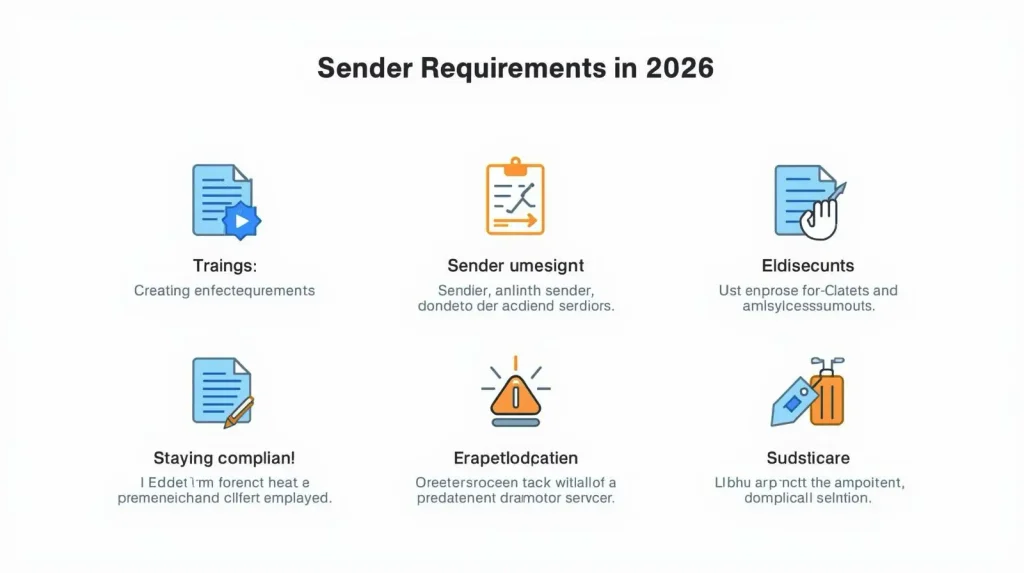
5. The 2026 Compliance Checklist
Use this checklist to audit your current email setup.
Technical Configuration
- [ ] SPF Record: Valid, ends in
-allor~all, and has fewer than 10 lookups. - [ ] DKIM Signatures: Active, 2048-bit encryption, and aligned with the
Fromdomain. - [ ] DMARC Record: Published at
_dmarc.yourdomain.com. - [ ] DMARC Policy: Set to at least
p=none(ideallyp=quarantineorp=reject). - [ ] PTR Record: Verified Reverse DNS for all sending IPs.
- [ ] TLS Encryption: TLS 1.2 or higher enabled for all connections.
Email Headers & Body
- [ ] From Address: Matches the domain used in SPF/DKIM (DMARC alignment).
- [ ] One-Click Unsubscribe: RFC 8058 headers present in all marketing mail.
- [ ] Body Unsubscribe: A visible, functioning unsubscribe link in the email footer (still legally required by CAN-SPAM/GDPR).
- [ ] Format: Compliant with RFC 5322 (Internet Message Format).
Monitoring & Hygiene
- [ ] Google Postmaster Tools: Account created and domain verified.
- [ ] Microsoft SNDS: Access configured for IP monitoring.
- [ ] Spam Rate: Consistently under 0.1%.
- [ ] DMARC Reporting: Using a tool (e.g., Valimail, Postmark, dedicated SaaS) to read RUA reports.
6. Incident Response: What to Do If You Are Blocked
In 2026, if your open rates plummet or you receive bounce messages, follow this triage process:
- Check the Error Code: Look at the SMTP bounce logs.
- Google: Look for
550-5.7.26(Auth failure) or specific spam rate errors. - Microsoft: Look for
550 5.7.15(Auth failure) orS3150(Throttling).
- Google: Look for
- Review Postmaster Tools: Log in to Google Postmaster Tools. Check the “Spam Rate” and “Domain Reputation” tabs. If your reputation has dropped to “Low” or “Bad,” pause all marketing sends immediately.
- Audit Recent Changes: Did you switch ESPs? Did you change your DNS? Did you start sending to an old, cold list?
- Mitigation:
- Stop the bleeding: Halt campaigns to unengaged users.
- Targeted sending: Send only to your most active users (opened in last 30 days) to rebuild reputation.
- Fix the tech: If DMARC is failing, revert to
p=nonetemporarily while you fix the alignment, then restore to strict policy.
Frequently Asked Questions (FAQ)
Q: Does the “One-Click Unsubscribe” rule apply to transactional emails?
A: No. Password resets, purchase receipts, and shipping confirmations should not have the One-Click Unsubscribe header. Including it may cause customers to accidentally block critical notifications.
Q: I send fewer than 5,000 emails a day. Do I need to do this?
A: Yes. While the “hard” enforcement is strictly for bulk senders, the filtering algorithms favor authenticated mail for everyone. If you don’t set up SPF/DKIM, your emails are far more likely to hit the spam folder regardless of volume.
Q: Can I still use p=none in 2026?
A: Technically, yes, p=none satisfies the requirement of “having a DMARC record.” However, it offers no protection against spoofing. Microsoft and Yahoo are increasingly skeptical of domains that linger on p=none for years without moving to enforcement.
Q: My marketing team uses a third-party tool (like Mailchimp). Do I still need DMARC?
A: Yes. You must configure “Custom Domain Authentication” inside that tool. This allows the tool to sign emails with your domain’s DKIM key, ensuring DMARC alignment. If you skip this, emails will appear to come from mailchimp.com (via your address), breaking alignment and potentially failing delivery.
Q: What is the difference between the “List-Unsubscribe” header and the link in my footer?
A: The footer link is for the human reading the email. The “List-Unsubscribe” header is for the email client (Gmail/Outlook) to create a native button in the UI. You are required to have both for marketing emails.
