|
Getting your Trinity Audio player ready...
|
The promise of Artificial Intelligence in marketing was supposed to be liberation. For the Small to Medium Business (SMB) owner, it promised an end to the “feast or famine” content cycle and a way to bypass expensive agencies.
The reality, however, often looks like “slop.”
You have seen it. The LinkedIn posts that start with “In today’s fast-paced digital landscape…” The blog images featuring people with six fingers and plastic skin. The ad copy that sounds like a robot trying to sell insurance to another robot.
The problem isn’t the AI. The problem is the lack of a pipeline.
Most SMBs treat AI like a slot machine: they pull the lever (write a prompt) and hope for a jackpot (a perfect asset). When they get lemons, they blame the machine. To get professional results without a design team, you must stop treating AI like a slot machine and start building a factory.
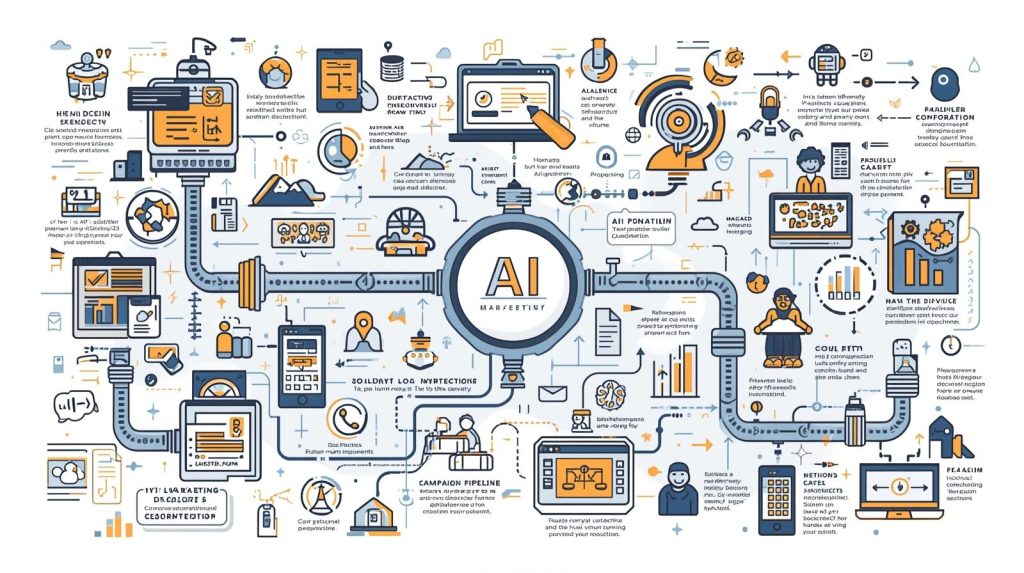
This article outlines a tactical workflow to build a brand-consistent AI marketing pipeline. We will move from defining your “Business DNA” to a repeatable process that generates safe, high-quality, and high-converting assets.
Phase 1: The Pre-Requisite — Optimizing Your Digital “Home Base”
Before you generate a single image or line of copy, you must look at your own website.
Why? Because modern AI tools (like ChatGPT with browsing, Perplexity, or Gemini) are increasingly “multimodal” and web-connected. When you ask an AI to “write an email about my new service,” the smart play is to point the AI to your website for context.
If your website is vague, the AI will hallucinate. If your website clearly signals your brand, the AI will mimic it.
The “AI-Readable” Website Checklist
Ensure your site has these elements so AI tools can extract the right signals:
- The “H1” Value Proposition: Your homepage headline must explicitly state what you do and who it is for.
- Bad: “Empowering Future Solutions.”
- Good: “HVAC Repair and Installation for Commercial Buildings in Chicago.”
- Why: AI scrapes headers to determine industry and niche context immediately.
- A Distinct “About Us” Origin Story: AI is excellent at style-matching. If your About page is dry corporate jargon, your AI content will be too. Rewrite this page to sound exactly like the “voice” you want your brand to have. The AI will use this as a tone reference.
- Service/Product Pages with “Benefit” Bullets: AI struggles to infer benefits from features. Explicitly list them.
- Feature: “256-bit encryption.”
- Benefit: “Bank-grade security so your client data never leaks.”
- A “Press” or “Media” Kit Page: Even if you aren’t famous, create a hidden page (e.g.,
yourdomain.com/brand-assets).- Upload: High-res logos, team headshots, and images of your physical location/products.
- List: Your exact Hex color codes (e.g., #FF5733) and font names.
- Why: When generating visuals, you can paste this URL into the AI and say, “Use the color palette found here.”
Phase 2: Defining Your “Business DNA”
To stop the “slot machine” effect, you need a “Context Window” document. In the AI world, the context window is the memory the AI has before it starts forgetting things.
You need to create a text file (Notion, Google Doc, or Word) called BUSINESS_DNA.txt. You will paste this at the top of every long-form chat session.
What goes inside BUSINESS_DNA.txt:
1. The Identity Block
- Company Name: [Name]
- Industry: [Specific Niche]
- Core Value Prop: [One sentence pitch]
- Target Audience (The Avatar): Don’t just say “women 25-40.” Say: “Sarah, 32, a working mother who is time-poor, values sustainability, but is price-sensitive. She hates aggressive sales tactics.”
2. The Voice & Tone Guardrails
- Adjectives describing us: Helpful, authoritative, witty, concise.
- Adjectives we HATE: Whimsical, revolutionary, jargon-heavy, slang.
- Formatting preferences: “We use Oxford commas. We never use emojis in headlines. We use sentence case, not Title Case.”
3. The Visual DNA (For Image Generators)
- Primary Color: [Hex Code]
- Secondary Color: [Hex Code]
- Visual Style: “Minimalist vector art,” “Cinematic photorealism,” or “Moody editorial photography.”
- Forbidden Elements: “No cartoons, no 3D renders, no blue skies.”
Tactical Move: Whenever you start a new marketing campaign in ChatGPT or Claude, your first prompt should always be:
“I am going to paste my Business DNA below. Please read it, confirm you understand our voice and visual style, and wait for my next instruction. Do not generate anything yet.”
Phase 3: The Step-by-Step Workflow
Now that the foundation is set, here is the pipeline for going from idea to published campaign.
Step 1: The “Briefing” (Input)
Never ask AI to “come up with ideas.” It usually provides generic clichés. Instead, provide the angle and ask for execution.
- Bad Input: “Write some ads for our coffee shop.”
- Good Input: “Referencing our Business DNA, we are launching a ‘Work from Home Escape’ campaign. The angle is that working from home is lonely and distracting. Our coffee shop offers community and focus. Write 5 headlines.”
Step 2: The Copy Generation (Drafting)
Use a text-based LLM (Claude 3.5 Sonnet, Gemini Advanced, or ChatGPT-4o).
- Generate Volume, Then Curate: Ask for 10 options, expecting to delete 7.
- The “Humanizer” Prompt: AI loves words like “delve,” “tapestry,” “unleash,” and “elevate.”
- Instruction: “Rewrite these options. Remove all corporate jargon. Lower the reading level to 8th grade. Use active verbs. Ensure no sentence is longer than 15 words.”
Step 3: The Visual Generation (Assets)
Use tools like Midjourney, Adobe Firefly, or DALL-E 3.
- The “Seed” Method: If you have product photos, use them as reference images (Image-to-Image) to keep consistency.
- The Style String: Create a standard string of text you append to every image prompt to ensure they look like they came from the same brand.
- Example: “…shot on 35mm lens, natural lighting, soft focus background, high contrast, amber and navy color palette –ar 16:9”
Step 4: The Review (The “Cringe” Test)
Before publishing, a human (you) must review against three criteria:
- The Glitch Check: Look at hands, text in the background, and shadows. (AI is bad at physics).
- The Claim Check: Did the AI invent a feature you don’t have? (e.g., “Free shipping” when you charge $5).
- The “Me” Check: Read the copy aloud. If you would feel silly saying it to a customer’s face, delete it.
Step 5: Publishing & Feedback Loop
Once published, monitor performance. If a specific “tone” worked well (e.g., “Sassy”), add that example back into your BUSINESS_DNA.txt file under a new section called “Winning Examples.” This makes the AI smarter next time.
Phase 4: Brand Safety & Hallucination Control
For SMBs, a “brand safety” crisis isn’t usually a political scandal; it’s looking amateurish or misleading customers.
1. Visual Safety: Preventing the “Uncanny Valley”
Nothing kills trust faster than a header image where the people look slightly wrong.
- Avoid Photorealism of Humans (Unless using top-tier tools): If you are using basic tools, stick to abstract concepts, landscapes, or flat lay photography (objects on a table) where human anatomy isn’t the focus.
- Use Negative Prompts: In tools like Midjourney, you can tell the AI what not to include.
- Prompt:
--no text, blurry, distorted hands, extra fingers, cartoon, illustration, watermark, signature.
- Prompt:
2. Copy Safety: The Ban List
Create a “Negative Constraints” list in your Business DNA. Explicitly forbid the AI from using specific words.
- The Ban List: Unlock, Unleash, Elevate, Revolutionize, Game-changer, Landscape, Tapestry, Delve, Crucial, Paramount.
- Why: These are “filler words” LLMs use when they don’t have anything substantial to say. Banning them forces the AI to be specific.
3. Legal & Copyright (The Basics)
- Ownership: Currently, in many jurisdictions (like the US), you cannot copyright purely AI-generated art. If a competitor steals your AI blog header, you likely have no legal recourse.
- Likeness Rights: Never use prompts like “A celebrity looking like Tom Cruise holding my product.” That is a lawsuit waiting to happen. Use generic descriptors: “A charismatic man in a suit, 40s, smiling.”
Phase 5: The Campaign Library (12 Ready-to-Run Prompts)
Copy these prompts into your LLM of choice. Ensure you have loaded your BUSINESS_DNA first.
Category A: Meta (Facebook/Instagram) & Google Ads
1. The “Problem/Agitation/Solution” (PAS) Ad
“Write 3 Facebook ad captions for [Product/Service] using the PAS framework (Problem, Agitation, Solution).
- Problem: Focus on [Specific User Pain Point, e.g., Back pain from sitting].
- Agitation: Describe how this ruins their day or impacts their mood. Make it visceral but empathetic.
- Solution: Present our product as the simple, immediate relief.
- Constraint: Keep the tone conversational, like a friend recommending a solution. No salesy jargon.”
2. The “Us vs. Them” Comparison
“Create a comparison table for a carousel ad image text. Column A is ‘Standard [Industry] Solutions,’ Column B is ‘[Our Company Name].’
- List 4 rows of comparison features.
- Column A should highlight the frustration/inefficiency of the status quo.
- Column B should highlight our speed/quality/price advantage.
- Keep text extremely short (under 5 words per cell).”
3. The Google Ads “High Intent” Headlines
“Write 10 Google Search Ad headlines (max 30 characters) and 4 descriptions (max 90 characters) for [Product/Service].
- Focus entirely on ‘High Intent’ keywords: Pricing, Immediate Availability, and Location.
- Include our offer: [Insert Offer, e.g., 20% off first month].
- Do not be clever. Be clear.”
4. The “Objection Handling” Retargeting Ad
“Write a retargeting ad script for Instagram Stories meant for people who visited our site but didn’t buy.
- Address the #1 objection: [Insert Objection, e.g., It’s too expensive].
- Reframe the price as an investment or compare it to the cost of not acting.
- End with a soft Call to Action (CTA): ‘Take a look.’
- Tone: Reassuring, not pushy.”
Category B: Social Media (LinkedIn/Instagram/X)
5. The “Contrarian Take” (Thought Leadership)
“I want to write a LinkedIn post that challenges a common myth in the [Industry Name] industry.
- The Myth: [Insert Myth, e.g., You need a gym to get fit].
- The Truth: [Insert Truth, e.g., Bodyweight is enough].
- Structure: Hook -> The Myth -> Why people believe it -> The Reality -> Practical tip.
- Formatting: Short paragraphs, spacing for readability.”
6. The “Behind the Scenes” (Building Trust)
“Write an Instagram caption for a photo of our team working/packaging orders.
- Focus on the detail and care we put into [Specific Process].
- Mention a specific team member by name (use placeholder ‘John’) and what he is inspecting.
- Goal: Show we are real humans, not a faceless drop-shipping company.”
7. The “Educational Carousel” Outline
“Outline a 5-slide educational carousel about ‘How to [Achieve Result]’.
- Slide 1: Hook title.
- Slide 2: Step 1 (The preparation).
- Slide 3: Step 2 (The action).
- Slide 4: Common mistake to avoid.
- Slide 5: Summary and CTA to save the post.
- Keep text per slide under 20 words. Visualize what the image should be for each slide.”
8. The “Social Proof” Humble Brag
“Draft a social media post celebrating a recent client win.
- Context: We helped a client [Achieve Result].
- Constraint: Do not make us the hero. Make the client the hero; we were just the guide.
- Tone: Grateful and proud.
- Include 3 relevant hashtags based on [Niche].”
Category C: Landing Page Copy
9. The “Above the Fold” Hero Section
“Write 3 variations of a Hero Section for our landing page.
- Headline: Must promise a specific result in a specific timeframe.
- Subheadline: Address who it is for and how it works.
- CTA Button: Action-oriented text (not just ‘Submit’).
- Constraint: Avoid the word ‘Quality’ and ‘Service’. Be specific.”
10. The “How it Works” (Process Simplification)
“Take our complex process: [Paste rough process steps].
- Simplify this into a ‘3-Step System’.
- Give each step a catchy, action-verb title.
- Write a 2-sentence description for each step that focuses on the user’s ease, not technical details.”
11. The “FAQ” Section (SEO Optimized)
“Generate 5 Frequently Asked Questions for [Product/Service] based on high-intent search queries.
- Write answers that are authoritative but concise.
- Incorporate these keywords naturally: [List 3 keywords].
- Address risk reversal (refunds, guarantees) in one of the answers.”
12. The “Urgency” Banner
“Write 5 short, punchy copy options for a sticky banner at the top of the website announcing a limited-time offer.
- Offer: [Insert Offer details].
- Constraint: Max 10 words. Must create FOMO (Fear Of Missing Out) without sounding scammy.”
Conclusion
The difference between a generic brand and a memorable one isn’t the size of the team; it’s the consistency of the signal.
By building your “Business DNA,” optimizing your website for AI extraction, and adhering to strict brand safety guardrails, you transform AI from a random content generator into a disciplined marketing junior associate.
Your Action Plan:
- Spend 30 minutes today creating your
BUSINESS_DNA.txtfile. - Audit your website’s “About” and “Home” text.
- Run Prompt #1 (The PAS Ad) using your new DNA file.
Stop guessing. Start building your pipeline.
